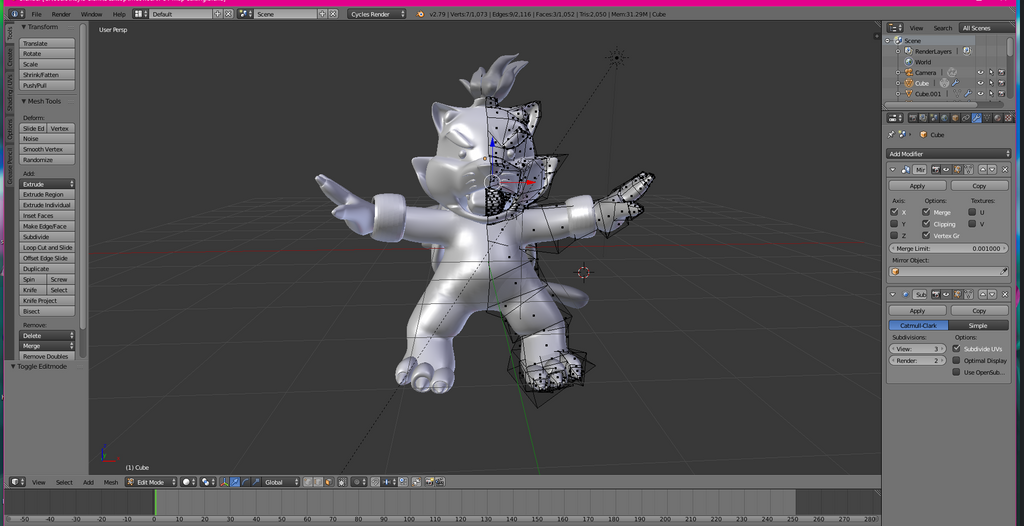
I forgot to ask: this model looks sculpted. I need to see the topology (wireframe). If it's a sculpt, you will have to retopo to quads and a smaller poly. Even the auto-unwrap function in Z-brush produces really ugly UVs, so I don't think there's a good auto UV tool.
Do you know the basics of UV mapping? It probably helps to have a good polyflow to make unwrapping easier. Anyway, I don't know if Blender has a good package for UV unwrapping. Personally, I use UVLayout for my unwrapping purposes, and it's a good visualization of unwrapping UVs. It is NOT a free program, but its demo has pretty much all you need to make a decent UV map.
If you're familiar with literal maps of the world, then UV mapping works that way; it translates 3D information into 2D information which the 2D information becomes the textures. This is also akin to skinning an animal, peeling an orange and flattening the skin, sewing clothes, or
how a cube looks unfolded. Same applies to your model.
But if you know about how maps are made, you should be familiar about distortions. Maps always stretch, there's no avoiding that. Think about the Mercator projection that massively stretches Greenland. There WILL be stretch in UVmaps, but you can minimize it by making appropriate cuts.
Yeah, I say cuts because for a proper unwrap, you will need to select edges along your model and cut it. Think how globes, the ones that are wrapped with printing, have a seam generally over the Pacific Ocean. You'll be making those seams along your model, preferably in spots where you're less likely to see them, such as under the arm. These seams can help divide your mesh into easier-to-unwrap pieces. For instance, you'll probably cut the edge loop where the arms join the body and make an additional seam where the wrist starts, inside the bracelet (so you won't even see the seam). From those two cuts, you can make out a cylinder from base to the arm to where the wrist starts, and so you can make a final cut underneath the arm, and then you can unwrap and get a nice rectangle.
That's just unwrapping the arm, but that's a basic, and that's a straightforward one. Sometimes, the seams won't run along the edge loops, being partial. But either way, you need to visualize how the pieces of the model with flatten properly, and try making the fewest seams possible. You want minimal stretching and pinching, and you will get a ton of either if you don't cut the seams properly.
Here's a tutorial on using UVLayout. The program is ENTIRELY hot-key operated, so it'll take some time getting used to. Again, I don't know if Blender has its own unwrapping package, at least as one handy and quick like this one, and if it's not garbage like Maya's (though I think Maya 2018 or Maya with Bonus Tools does its job too, haven't used Maya 2018 that much).

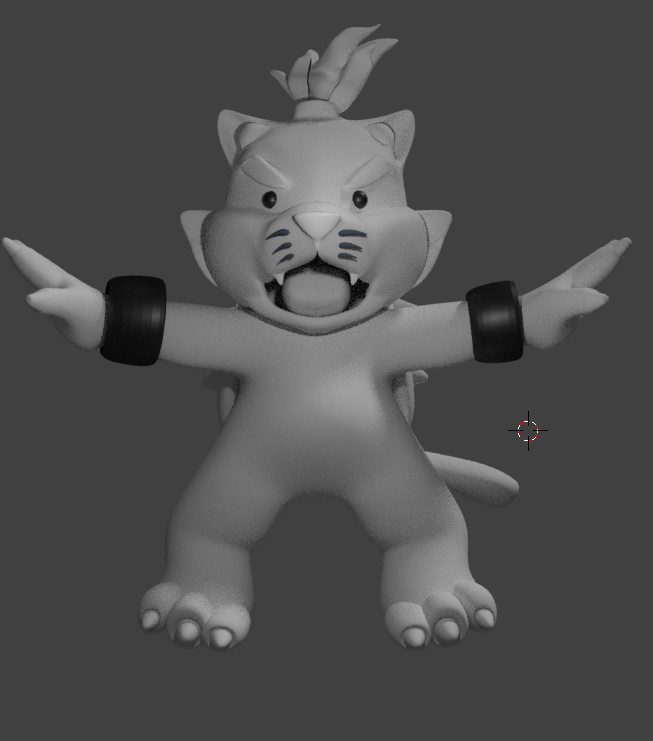 I would really like to finish it, but I sadly do not know how to UV Map :c (its one of my biggest struggles with Blender if I'm honest)